# ChatGoogleGenerativeAI

## Prerequisitos

1. Registra una cuenta de [Google](https://accounts.google.com/InteractiveLogin)
2. Crea una [API key](https://aistudio.google.com/app/apikey)

## Configuración

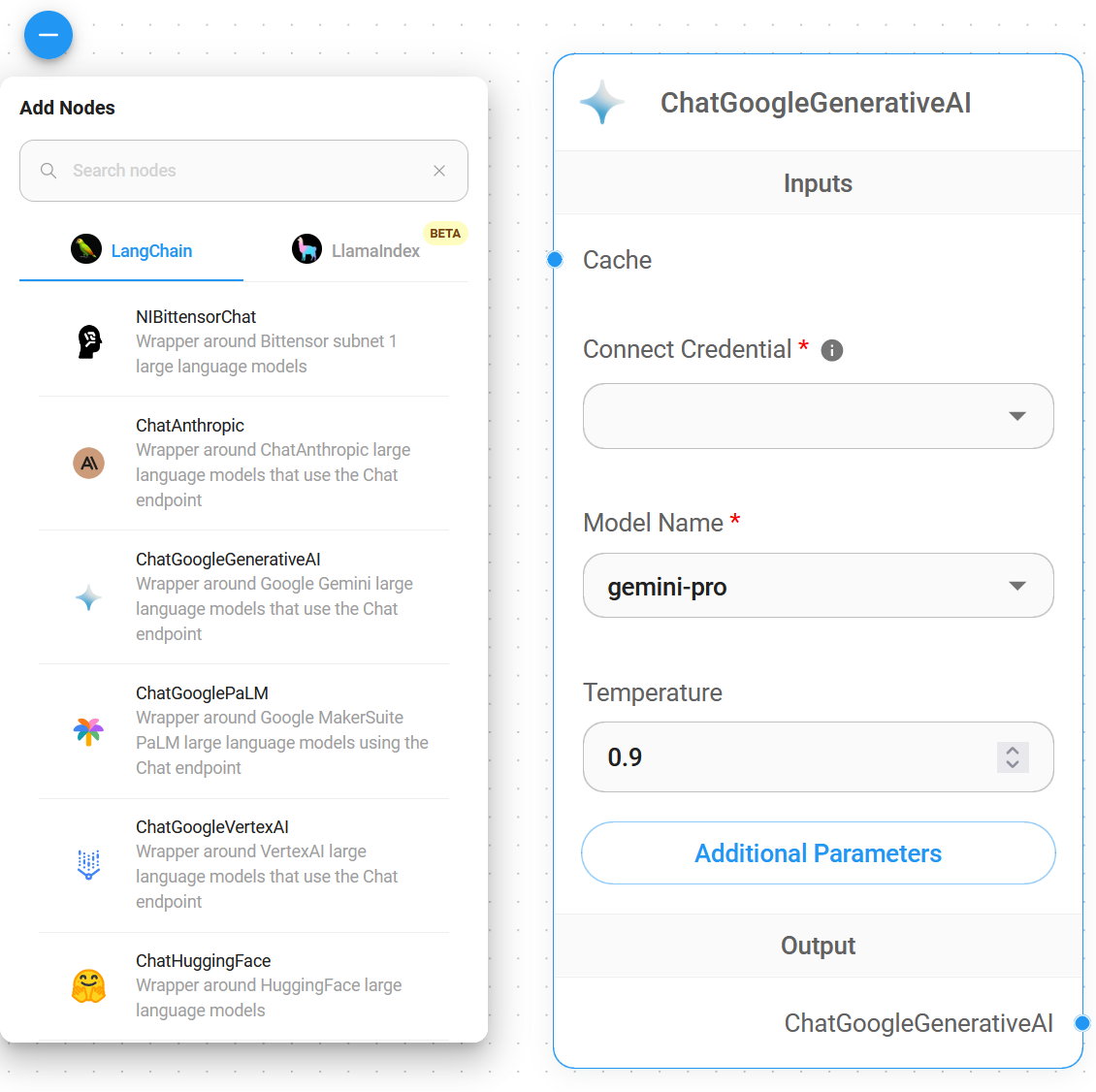
1. **Chat Models** > arrastra el nodo **ChatGoogleGenerativeAI**

<figure><img src="https://769538227-files.gitbook.io/~/files/v0/b/gitbook-x-prod.appspot.com/o/spaces%2FjyGndXAZESKnWvU2qnmw%2Fuploads%2Fgit-blob-986cbb58507735f94c66391d5f51ad434947e90b%2F1.png?alt=media" alt="" width="563"><figcaption></figcaption></figure>

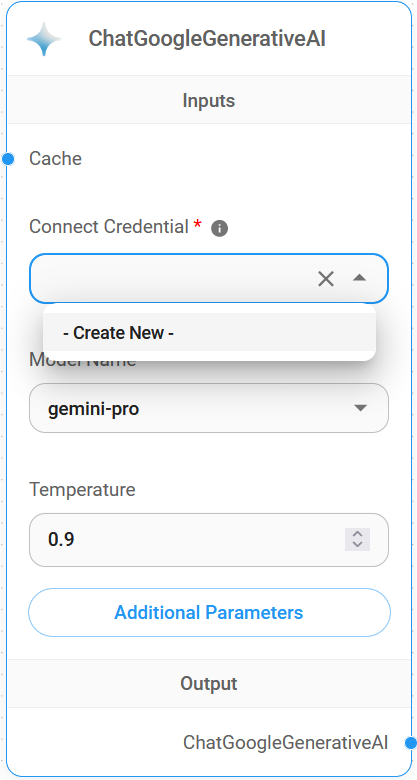
2. **Connect Credential** > haz clic en **Create New**

<figure><img src="https://769538227-files.gitbook.io/~/files/v0/b/gitbook-x-prod.appspot.com/o/spaces%2FjyGndXAZESKnWvU2qnmw%2Fuploads%2Fgit-blob-eb38783f8b36e8d95ed6bdc53d47d1388eaaeb9e%2F2.png?alt=media" alt="" width="278"><figcaption></figcaption></figure>

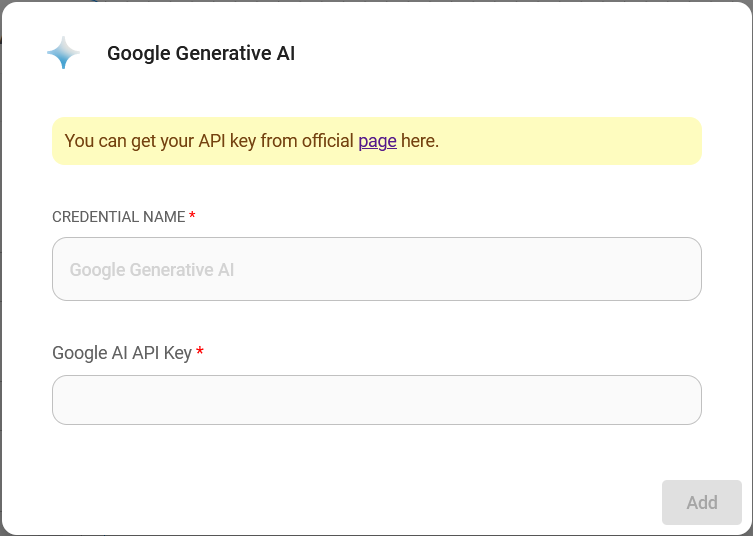
3. Completa la credencial de **Google AI**

<figure><img src="https://769538227-files.gitbook.io/~/files/v0/b/gitbook-x-prod.appspot.com/o/spaces%2FjyGndXAZESKnWvU2qnmw%2Fuploads%2Fgit-blob-b9317a130cad822b10c73bd856da303fa045f8cf%2F3.png?alt=media" alt="" width="563"><figcaption></figcaption></figure>

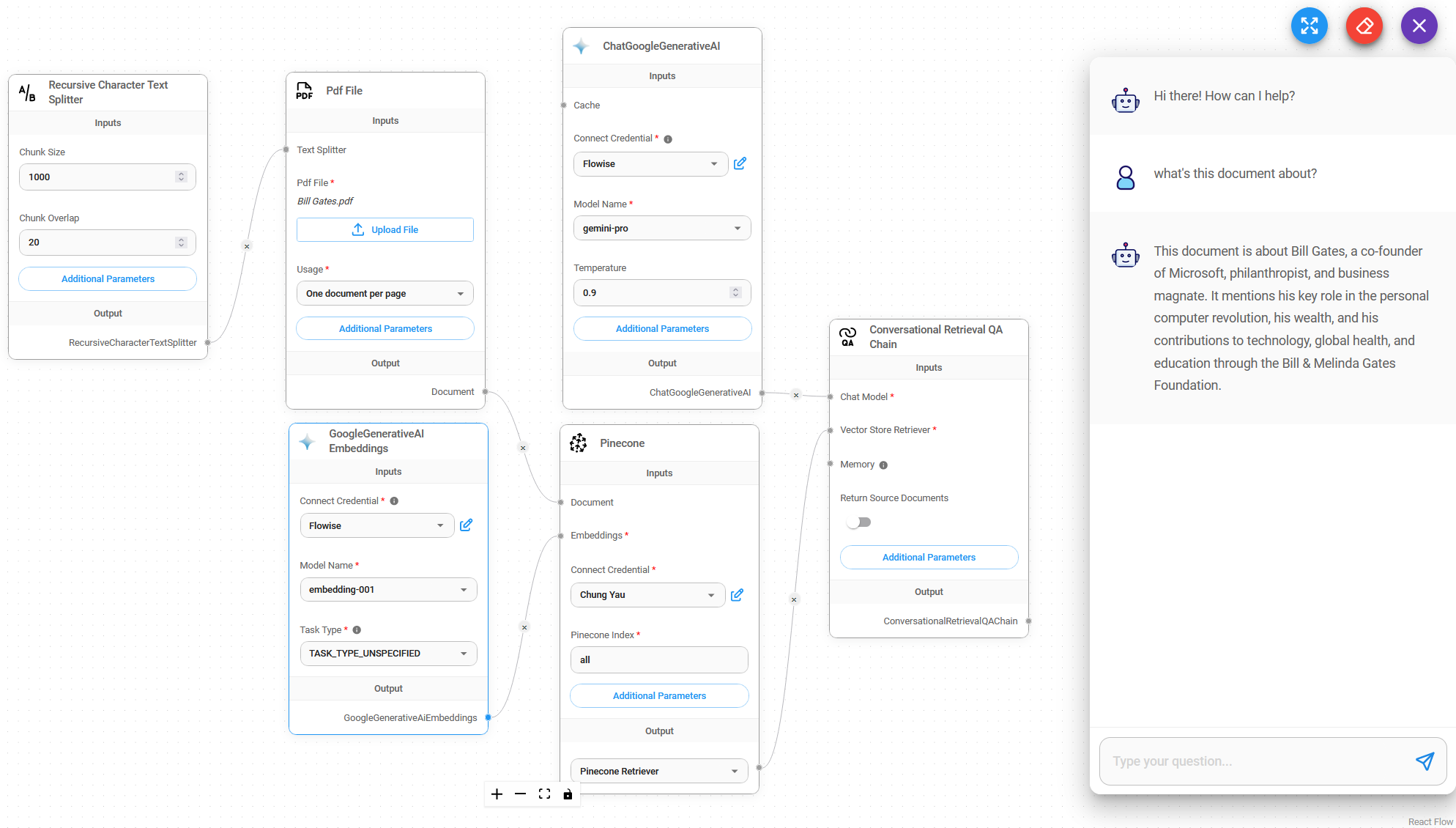
4. ¡Voilà [🎉](https://emojipedia.org/party-popper/), ahora puedes usar el **nodo ChatGoogleGenerativeAI** en Flowise

<figure><img src="https://769538227-files.gitbook.io/~/files/v0/b/gitbook-x-prod.appspot.com/o/spaces%2FjyGndXAZESKnWvU2qnmw%2Fuploads%2Fgit-blob-a4892c89e4c90fd5bd882c8fbb00b88cb3805f37%2F4.png?alt=media" alt=""><figcaption></figcaption></figure>

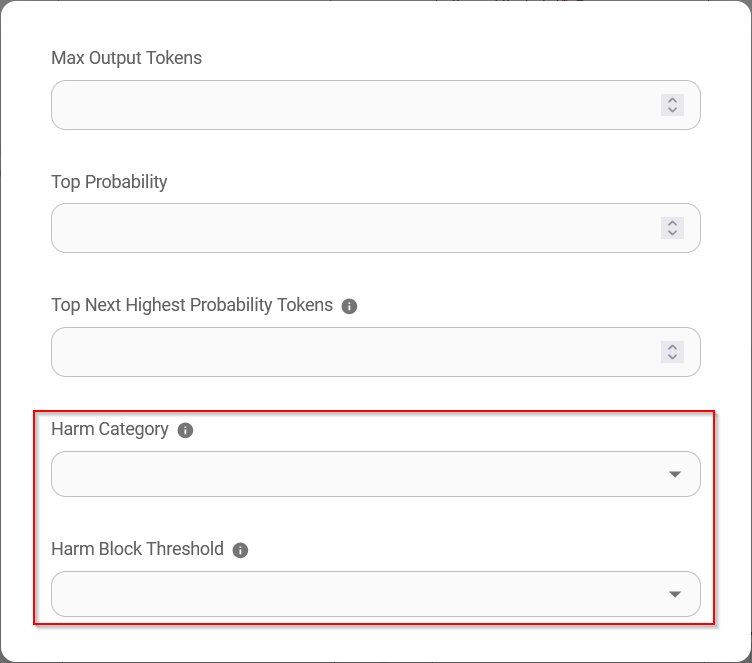
## Configuración de Atributos de Seguridad

1. Haz clic en **Additonal Parameters**

<figure><img src="https://769538227-files.gitbook.io/~/files/v0/b/gitbook-x-prod.appspot.com/o/spaces%2FjyGndXAZESKnWvU2qnmw%2Fuploads%2Fgit-blob-0a98c3855690a0b2f7d9cebee572c88f72896f3d%2F5.png?alt=media" alt="" width="563"><figcaption></figcaption></figure>

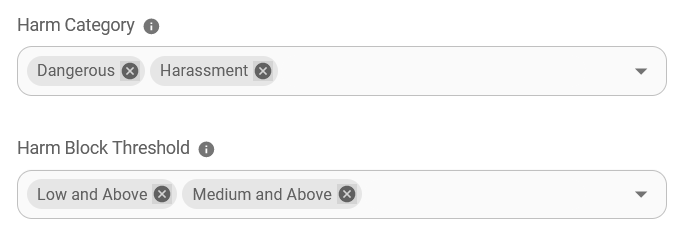
* Al configurar los **Safety Attributes**, la cantidad de selecciones en **Harm Category** y **Harm Block Threshold** debe ser la misma. Si no lo es, se mostrará el error `Harm Category & Harm Block Threshold are not the same length`
* La combinación de **Safety Attributes** que se muestra a continuación resultará en que `Dangerous` se configure como `Low and Above` y `Harassment` como `Medium and Above`

<figure><img src="https://769538227-files.gitbook.io/~/files/v0/b/gitbook-x-prod.appspot.com/o/spaces%2FjyGndXAZESKnWvU2qnmw%2Fuploads%2Fgit-blob-8147cce7fe0d2e72c1dc5d12490d2f1f93477343%2F6.png?alt=media" alt="" width="563"><figcaption></figcaption></figure>

## Recursos

* [LangChain JS ChatGoogleGenerativeAI](https://js.langchain.com/docs/integrations/chat/google_generativeai)
* [Google AI for Developers](https://ai.google.dev/)
* [Documentación de la API de Gemini](https://ai.google.dev/docs)